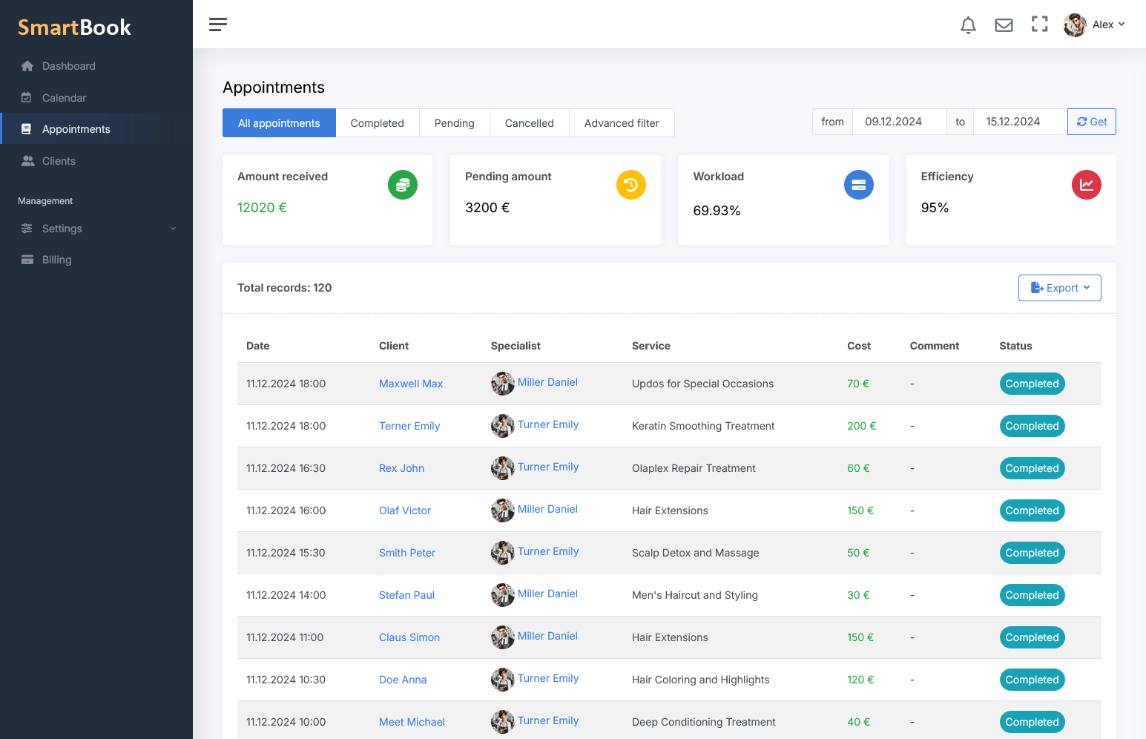
SmartBook helps you gain a clear understanding of your business finances. You can view the total income for any selected period and compare it with planned revenue from already booked services. This approach simplifies planning and allows you to make timely decisions to increase profitability.
Advanced Filters and Analytics
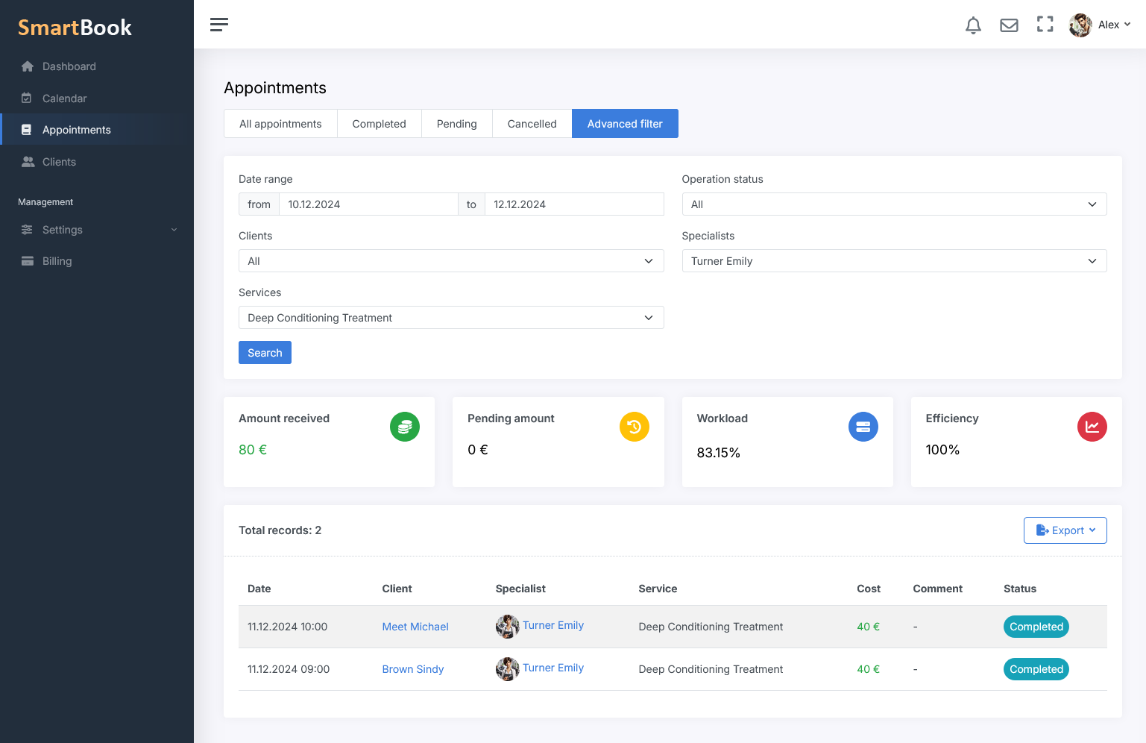
The system allows you to thoroughly examine each employee’s efficiency by analyzing their schedule occupancy and the demand for specific services. SmartBook also takes canceled appointments into account, enabling you to evaluate lost revenue and make more informed decisions to improve performance. Using flexible filters, you can segment reports by date, service, status, employee, or client. This helps you identify key trends, detect problem areas, and quickly adjust your strategy.
Report Export
For convenient further analysis, any generated report can be exported to PDF, Excel, or CSV. This simplifies working with data, sharing it, and storing it, and also helps integrate the results into other business management tools.
Frequently Asked Questions
The section displays the income received for the selected period and the planned revenue from already booked services. It helps assess current profit and forecast future earnings.
Yes. SmartBook shows both actual income and the projected revenue from upcoming bookings, allowing you to compare performance and adjust sales plans.
Reports can be filtered by date, service, booking status, employee, and client. This helps identify trends and problem areas in your revenue.
Yes. The system records canceled bookings, allowing you to evaluate lost profits and improve processes to reduce cancellations.
Yes. You can analyze each employee’s contribution and the profitability of individual services to see what brings in the most revenue.
Export is available in PDF, Excel, and CSV — for collaboration, storage, and further analysis in external tools.
Data are updated in real time: any changes in payments, bookings, or statuses are immediately reflected in reports and charts.
Yes. You can select any period (day, week, month, or custom range) and compare it with the previous equivalent period to see performance dynamics.
Ready to succeed?
Free registration · No installation · Works on phone and computer