Planning Vacations and Various Absences
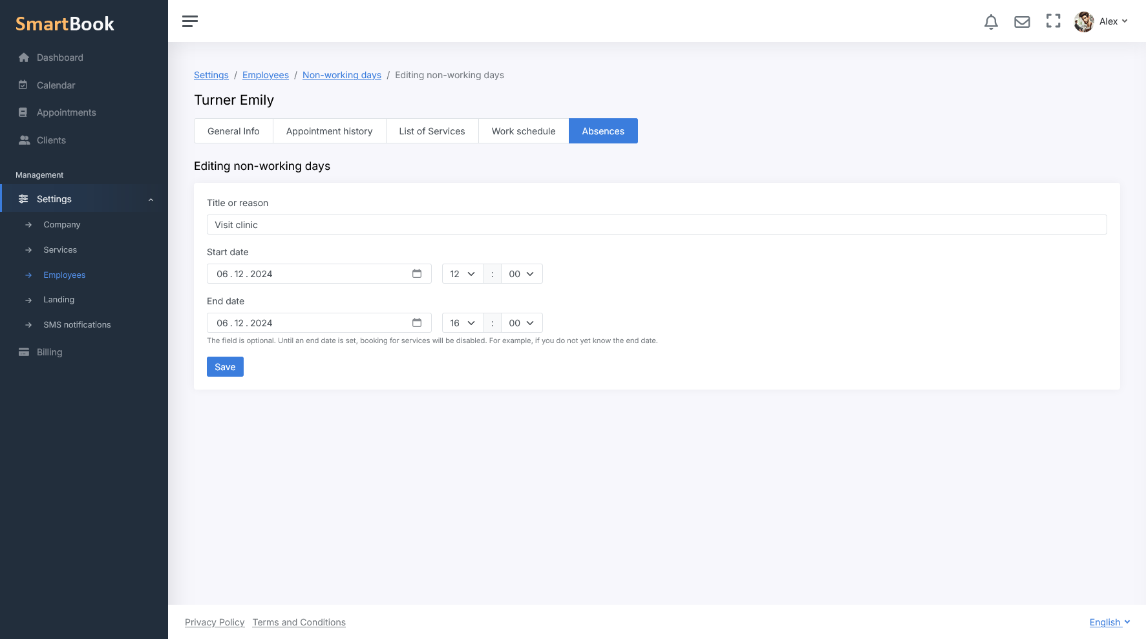
SmartBook makes it easy to manage employee absences — whether it's a full week's vacation or a short absence of just a few hours. Simply specify the start date and end date or just the start date if the end of the absence is not yet known, and the system automatically blocks all corresponding time slots. If plans change, you can edit or delete the dates at any time. Thus, you get a single tool that covers a wide range of situations: from regular annual vacations to brief personal absences.
Company-Wide Days Off, Holidays, and Operating Schedule
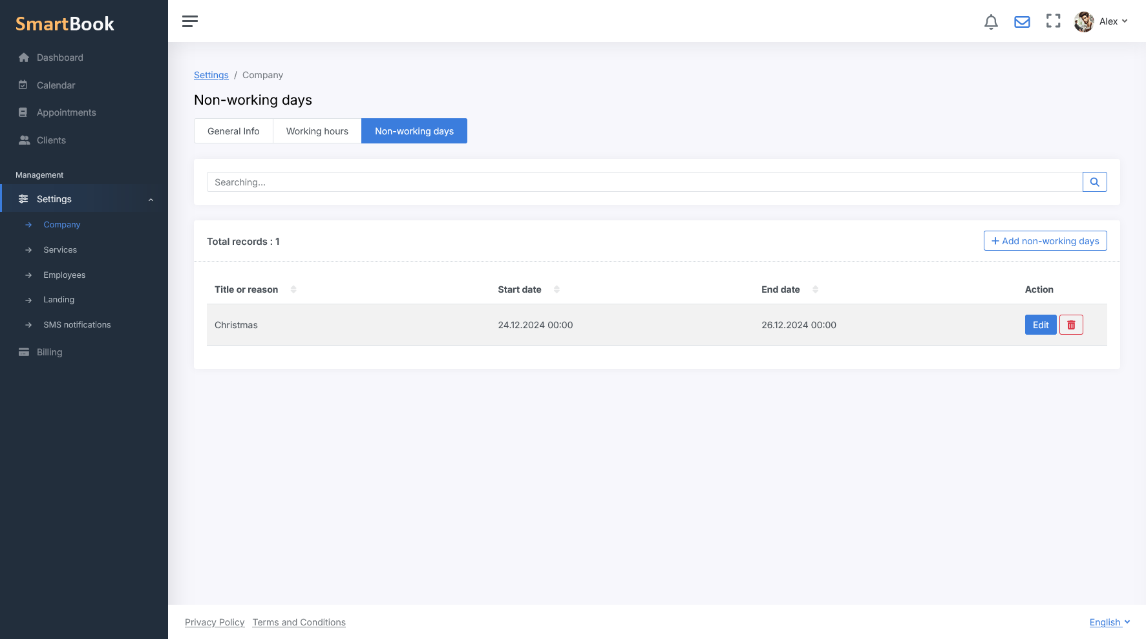
In addition to individual employee schedules, SmartBook helps you set up company-wide non-working periods, such as holidays, corporate events, and other occasions. All employees are considered unavailable on these days, and the system will not offer them for booking. This is convenient when you need to quickly stop or, conversely, resume appointments for everyone at once.
Unforeseen Circumstances and Open-Ended Absences
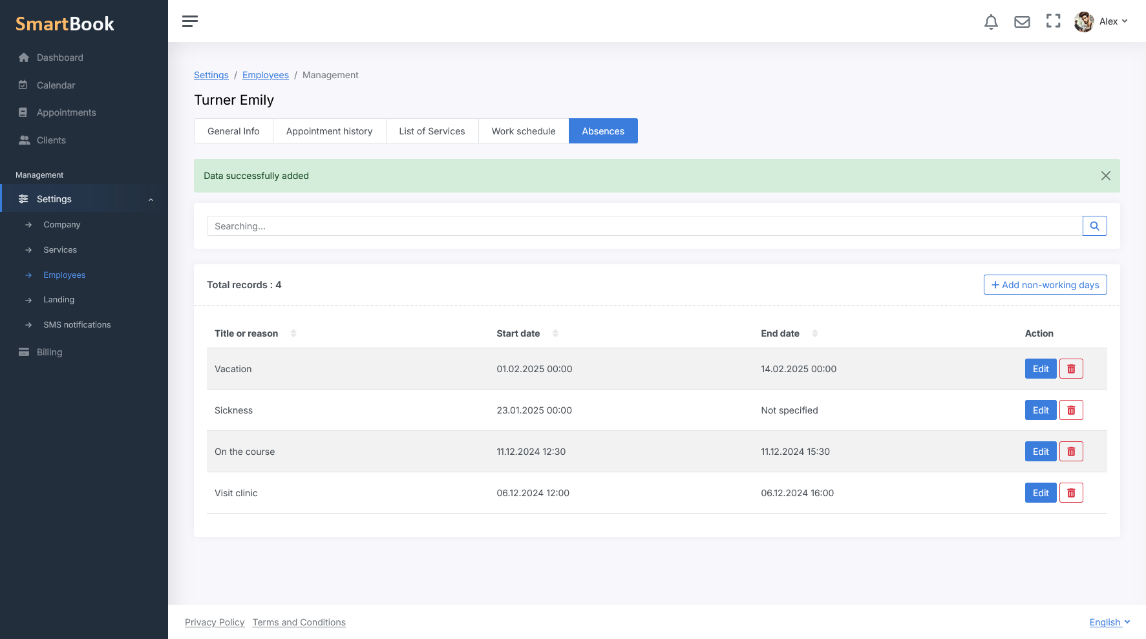
Sometimes it's impossible to specify an exact end date for an absence in advance. For example, if an employee falls ill and it's not clear when they can return to work, or the company experiences a force majeure event — a repair, accident, or other issue whose resolution timeframe is still unknown. In such cases:
- You only specify the start date of the absence, leaving the end date “open.”
- When the actual return date becomes known, it's easy to enter it into the system, and all previously unavailable slots automatically become available for booking again.
Transparency for Managers, Convenience for Clients
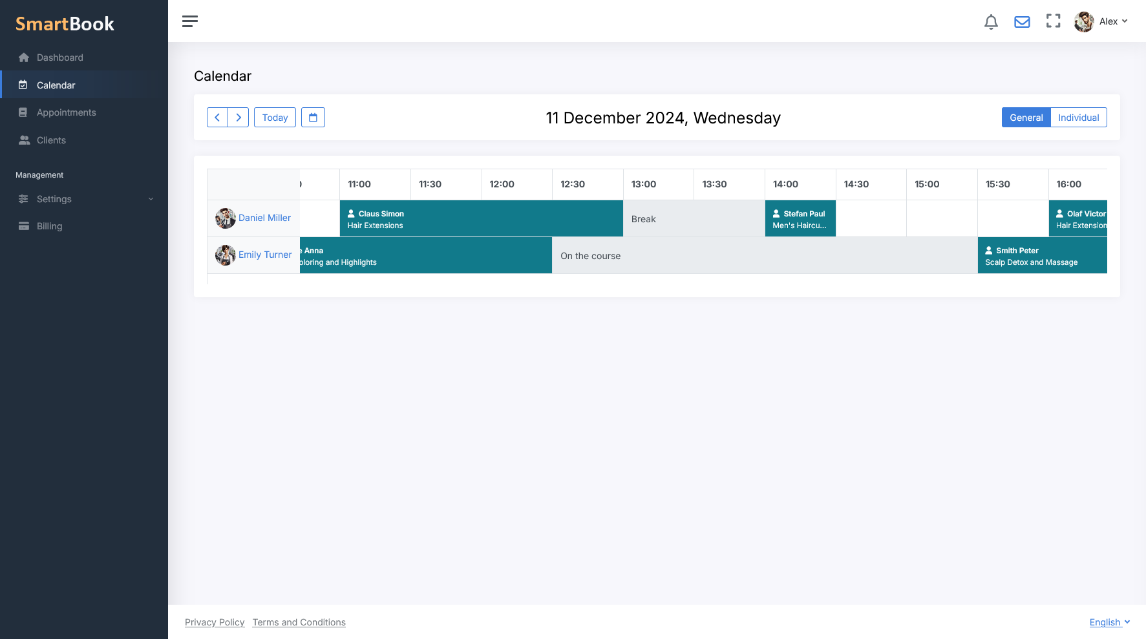
One of SmartBook’s key features is the differentiation of visibility for absence reasons. Managers and responsible personnel see the full picture: who is unavailable, why, and for how long. Clients, however, only see available time slots when booking online and cannot select any blocked slots. They do not see detailed reasons for unavailability. This allows you to effectively manage schedules within the company while maintaining comfort and a positive experience for clients.
Business Benefits
- Automation and time savings: The schedule is updated instantly and requires no manual adjustments, and employees don’t waste time explaining.
- Reduced risk of errors: The system blocks unavailable slots, preventing double bookings.
- Flexible settings: The duration of absences is not limited — from a few minutes to several weeks or even longer.
- Convenience for clients: They only see genuinely available time slots, which builds trust and improves the user experience.
Conclusion
The “Vacation Planning and Absence Tracking” module in SmartBook is a universal tool that covers any situation related to the unavailability of employees or entire departments. With it, your business maintains a clear and visual schedule, and clients can always book only the dates and times when your specialists are truly working.