The SmartBook system provides all the necessary tools for monitoring and analyzing resource utilization and company performance. You can quickly identify available time slots, evaluate the real return from employees and services, and adjust your future strategy based on actual data.
Flexible and Visual Reports
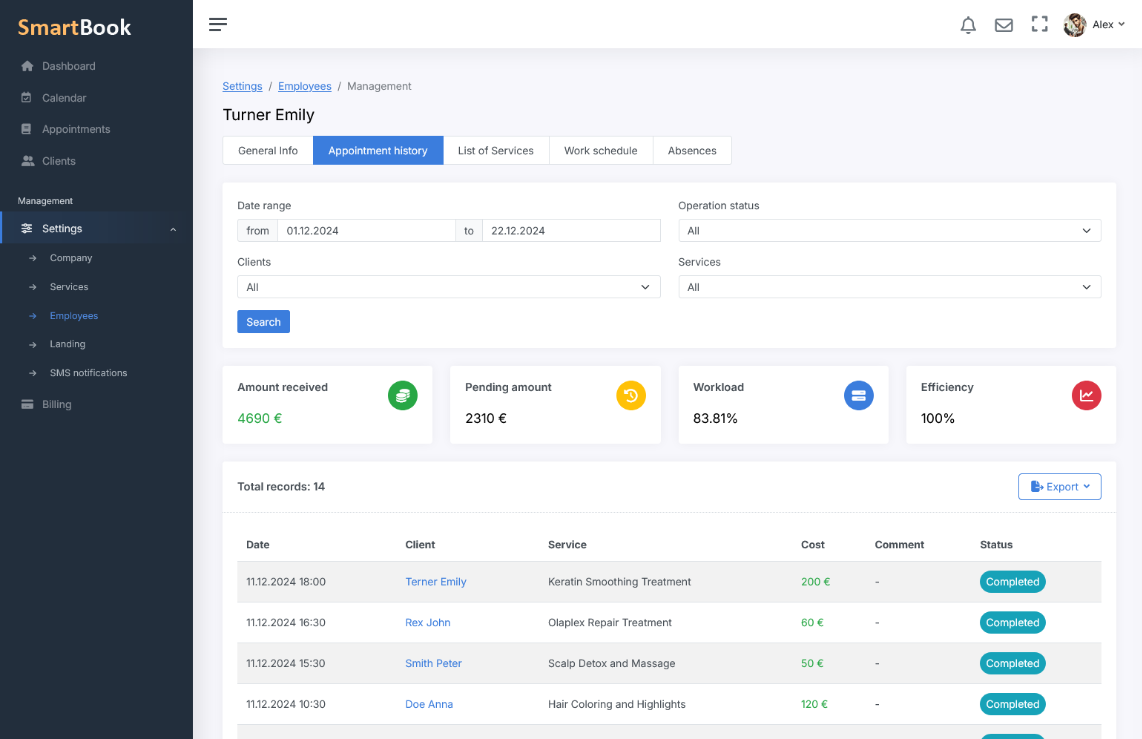
- The entire company in one report. Get an overview of all employees and services for a selected period: total number of bookings, final revenue, workload percentage, and other key metrics.
- Individual statistics for each employee. Examine the performance of specific specialists: how full their workday is, how much revenue they generated during the selected period, and which services are in demand.
- Select the required period. The system allows you to analyze data for a day, week, month, or any other custom time frame.
Key Indicators: Workload and Efficiency
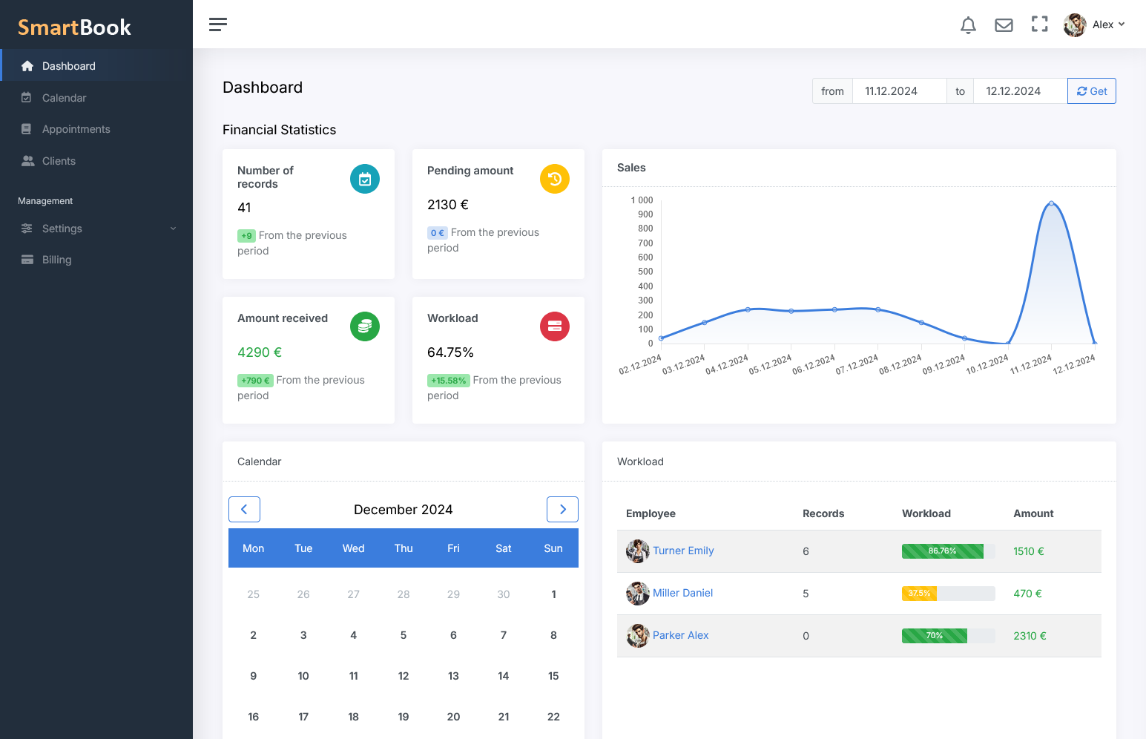
- Workload calculation (in %). The system shows what portion of the workday was filled with actual bookings, allowing you to quickly assess how effectively the time is used.
- Revenue and amount pending. Financial indicators display both received revenue and the amount pending. The pending amount is the potential revenue from bookings whose time has not yet come. This approach helps you more accurately assess current and future performance.
- Comparison with previous periods. The metrics are shown over time so you can always see how the current results compare to the previous week or month.
- Efficiency indicator. Track not only the workload of working hours but also the actual financial outcome, taking into account the revenue received and upcoming bookings.
In-depth Analytics Based on Previous Periods
- Period comparison. When you select a time range (for example, the current week), the system automatically generates a comparative analysis with the previous similar period. You can spot trends of increasing or decreasing demand.
- Identifying the most in-demand services. See which services occupy the majority of working hours, generate the most revenue, and in which periods they are most in demand.
Convenient Export and Flexible Formats
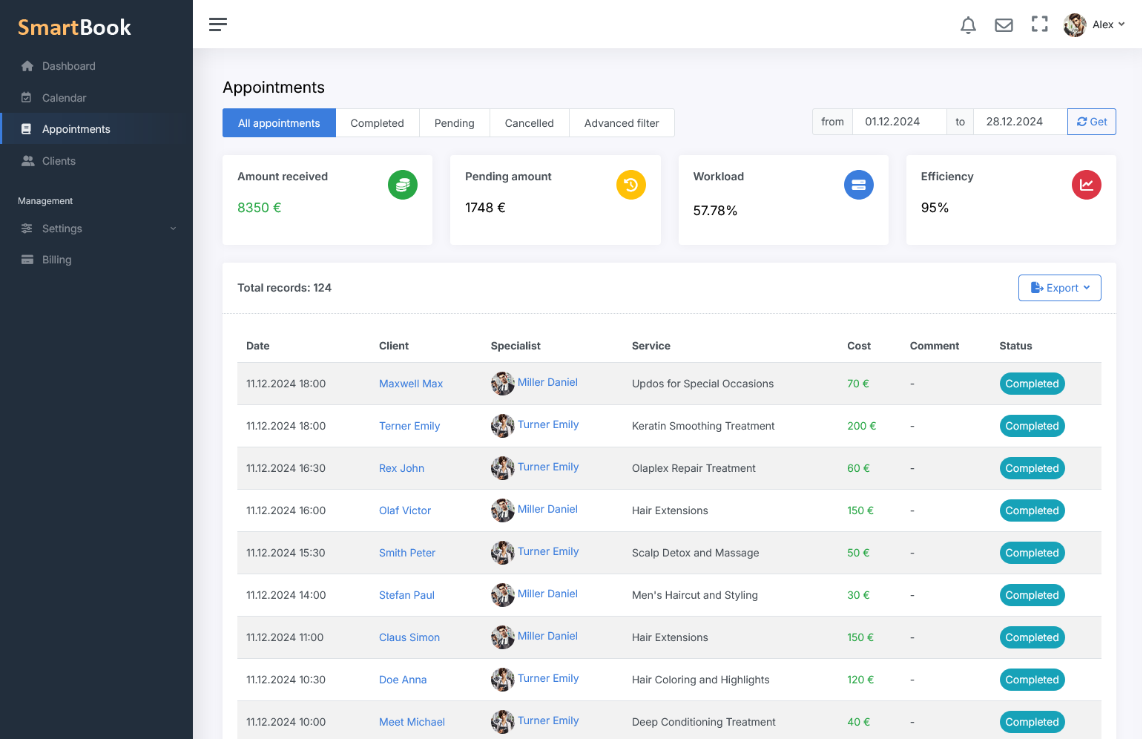
Easily export all necessary data to PDF, Excel, or CSV. This simplifies further work with reports, their analysis, and processing in external tools. You can quickly share the generated files with colleagues or financial consultants, and also use them for more detailed analytics in any specialized programs.
Analysis for Work Optimization
The system helps you identify the most loaded days and hours, analyze demand trends, and make well-informed decisions to improve efficiency: adjust the schedule, allocate resources effectively, and enhance the quality of services provided.
With SmartBook, you will always be aware of the key metrics that drive your company's growth. Clear analytics and convenient export allow you to spot weaknesses in time, plan your next steps, and increase revenue.