The SmartBook system allows you to set up a flexible and varied work schedule for the entire company as well as for each individual employee. As a result, clients only see actual times available for booking, and administrators can easily make any changes to the schedule.
Flexible Schedule Configuration
Unified Company Schedule. Set basic working days and hours for everyone if your company has a fixed schedule. This way, you can centrally manage the time slots available for appointments.
Individual Schedules for Employees. Each employee can have their own working days and hours, different from the company-wide schedule. This is especially useful if you have specialists with different work patterns or providing services that require different durations.
Three Types of Schedules
SmartBook offers three main options for creating schedules, which you can combine and customize to meet the specific needs of your company.
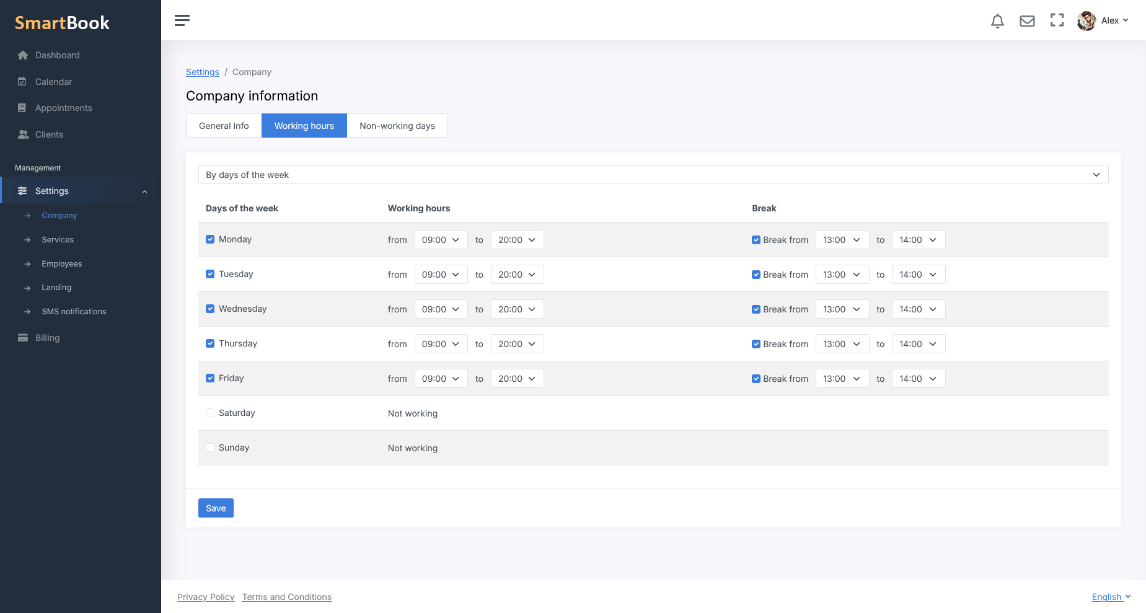
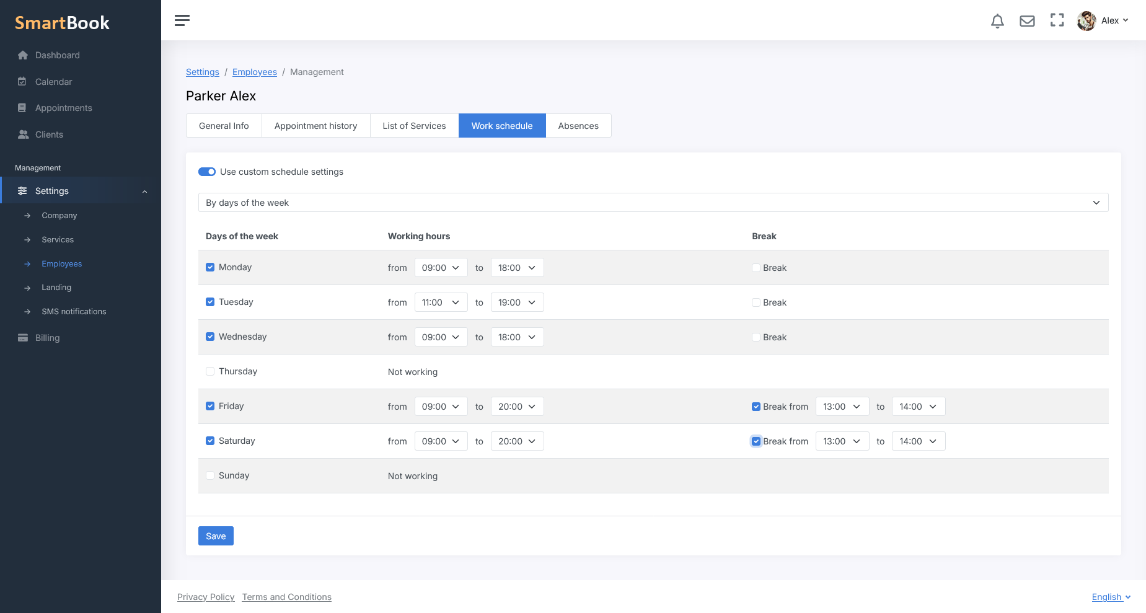
1. By Days of the WeekIndicate on which days of the week each employee or the entire company works, and then set:
- Start and end times. For example, Monday–Friday from 9:00 a.m. to 6:00 p.m., Saturday — a shorter workday, Sunday — day off.
- A break. For each workday, you can specify a time interval during which the system will not offer appointments.
 2. By Shifts
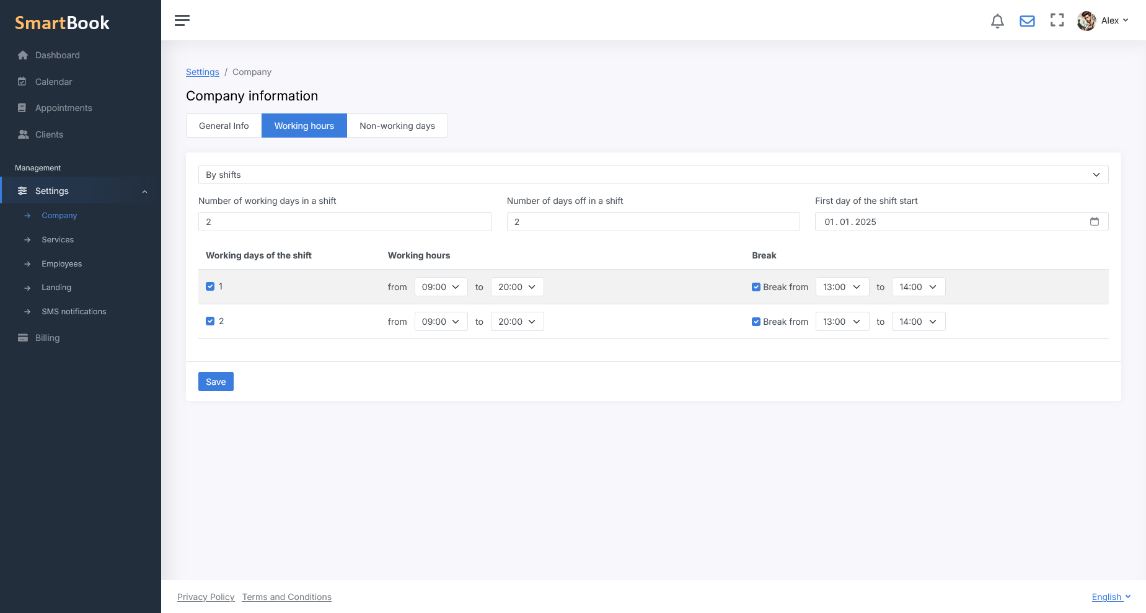
When using a shift-based schedule, the following parameters are set:
- The number of working and non-working days in the cycle. For example, 2 on / 2 off, 3 on / 2 off, and so on.
- Time intervals and, if needed, a break for working days. Each working day in a shift can be configured independently.
This approach is particularly convenient if the company or its employees have regularly repeating work and rest periods.
 3. Fixed Days
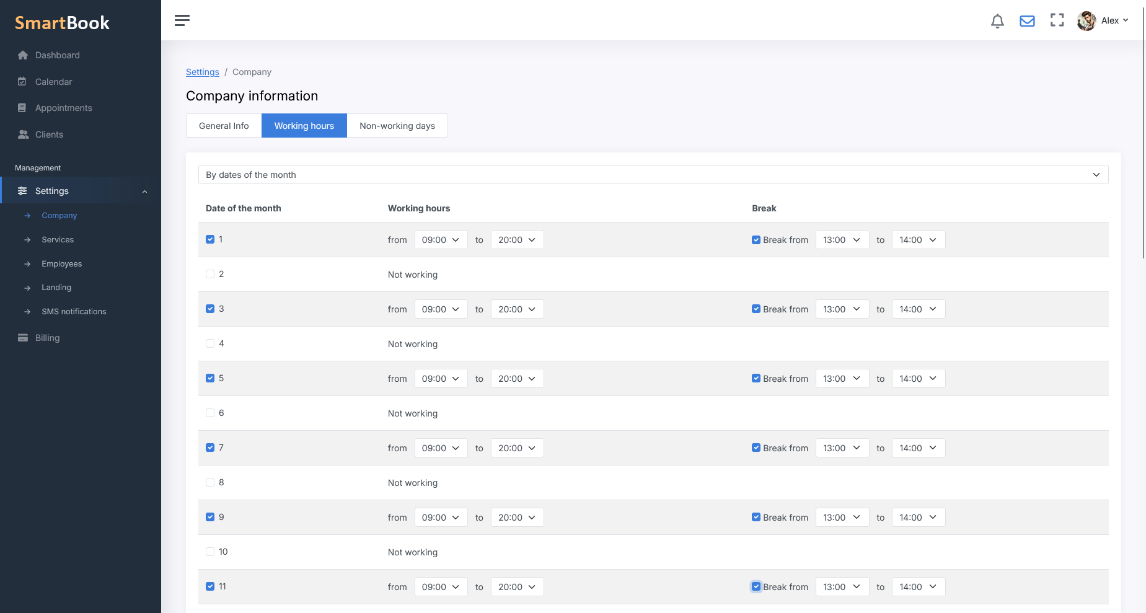
The system provides a calendar for the selected month (or another period), in which you manually note:
- The dates on which a specialist or the company is working.
- The working hours and, if necessary, a break for each selected date.
This option is suitable if you have an irregular schedule or it changes frequently due to seasonal factors, workload, or personal circumstances of employees.
Break and Pause Management
When configuring any of the listed schedule types, you can specify a break by simply setting its start and end time. The system automatically excludes this period from the available booking slots. Also, the break may vary on different days or be absent entirely, providing complete flexibility for your schedule.
Automatic Exclusion of Absences
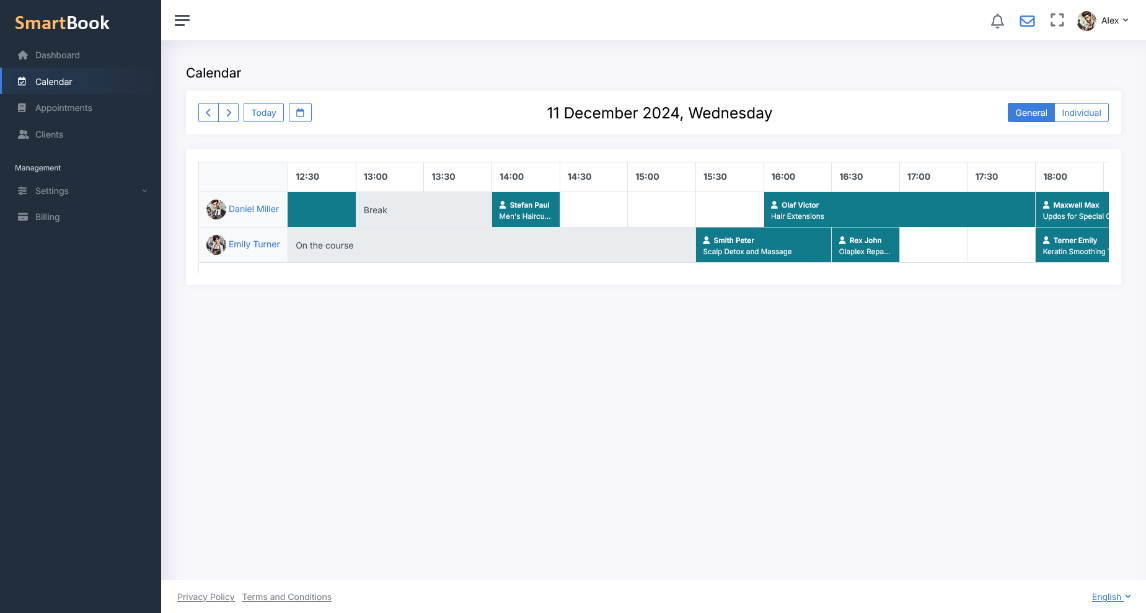
In addition to the standard schedule, you can enter any number of absences in the system: short ones — for example, a few hours for personal matters, and longer ones — a vacation. In this case, you specify the date and time when the absence starts, and you can leave the end time unspecified if the exact return-to-work date is unknown, for example, when on sick leave. The system automatically excludes these periods from the available slots, and the calendar always displays only the up-to-date schedule, without offering clients appointments during unavailable times.
Benefits for Your Business
- Convenience for Clients. Visitors only see free time slots, reducing the risk of misunderstandings and missed appointments.
- Time Savings. There is no need to track schedules manually: the system blocks unavailable periods on its own, taking all nuances into account.
- Increased Efficiency. Each employee makes the most of their working hours, as the schedule is adapted to their individual workload.
- Flexible Adjustments. Easily add or change days, times, and breaks when unexpected circumstances arise.
With SmartBook, your clients will always have access to the latest and most accurate schedules, while you can focus on developing your company and improving the quality of your services.