Personal Schedule for Each Employee
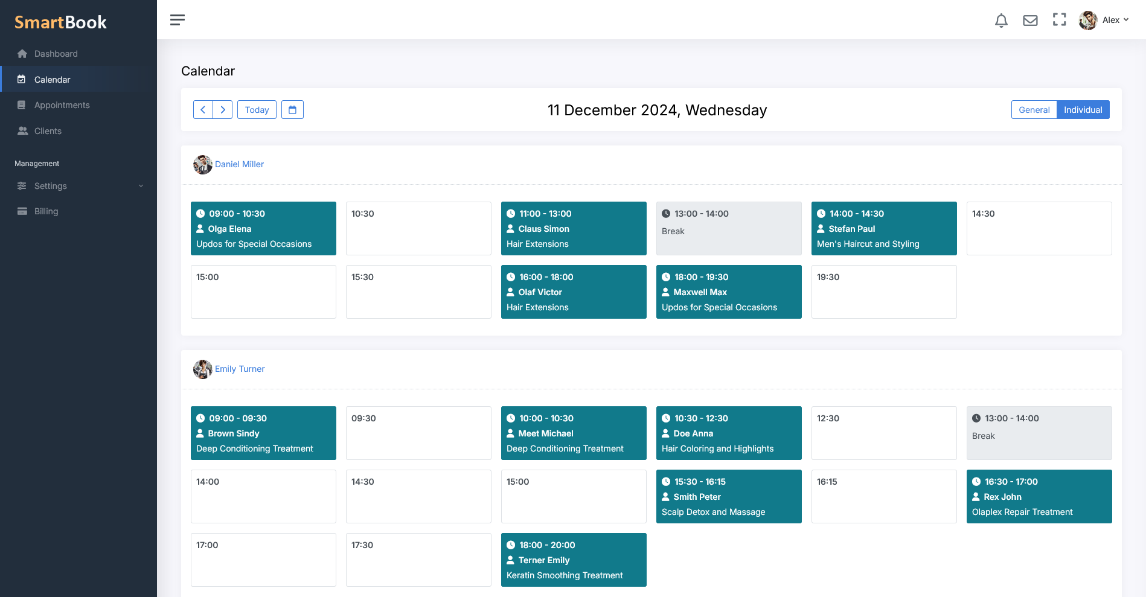
Each employee is provided with an individual schedule that reflects not only their working hours but also detailed information on booked time slots and planned appointments. At any moment, you can assess their workload, see available intervals for new client bookings, and make timely adjustments.
Access from Anywhere
As a manager, you will appreciate the ability to control employee schedules and workloads from anywhere in the world. With the SmartBook online system, you can easily view schedules and bookings whether you're in the office, on a business trip, or at home. You'll always be up to date with what's happening, no matter where you are.
Detailed View of Workload and Bookings
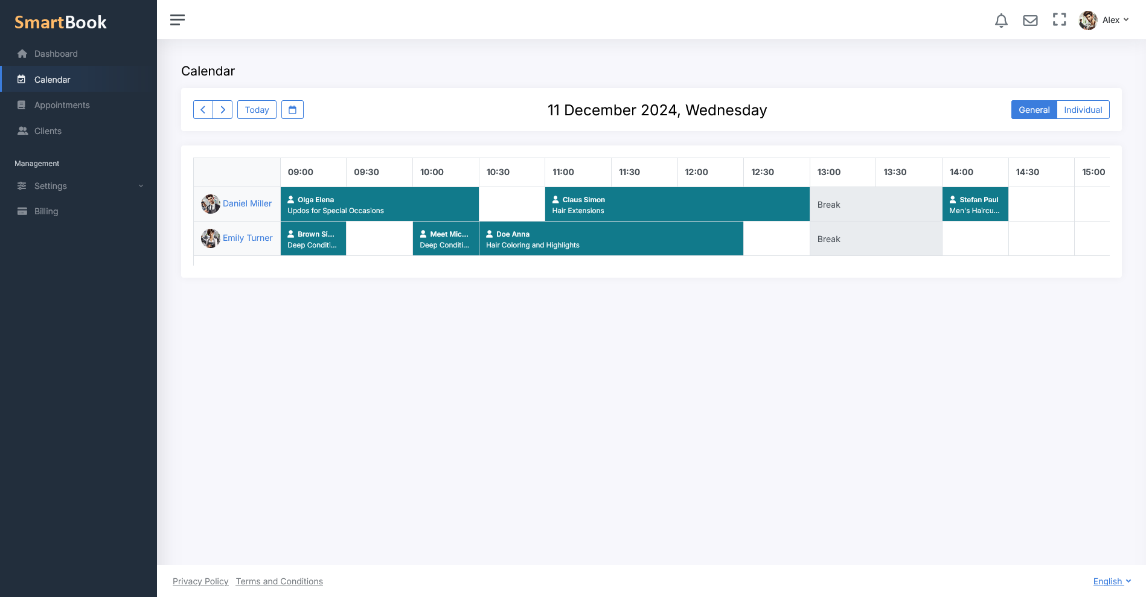
The schedule provides a complete overview of the workday: from set shifts to the precise time allocated for each service. You can review the details of each booking, see which slots are already occupied, and easily plan appointments based on the current workload of the employee.
A Wide Variety of Reports for Analysis
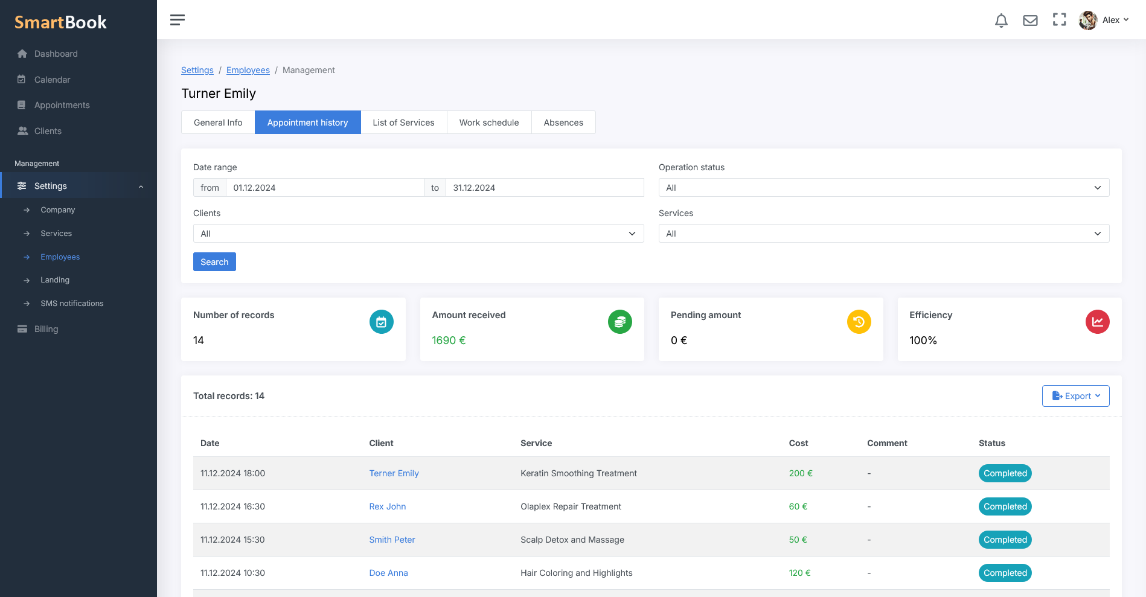
The system offers the ability to generate various reports, such as:
- Employee workload reports
- Statistics on booked services
- Analysis of schedule efficiency and attendance
These analytical tools help you make informed management decisions and optimize work processes.
Intuitive Interface with Adaptive Design
SmartBook features a modern, intuitive interface that adapts to any screen size and device. The adaptive design makes it convenient to work on desktop computers, tablets, or smartphones. The clear structure and well-thought-out navigation ensure quick access to key information, and the visual presentation of data, including color-coded shifts and services, allows you to instantly assess the situation. This interface not only saves you time but also makes working with the schedule as convenient and efficient as possible.