The SmartBook system automatically saves all information about completed bookings — from date and time to the selected service, employee, and client. All requests are recorded regardless of their status: confirmed, canceled, completed, or no-shows. This allows you to always have a complete picture of client interactions at hand.
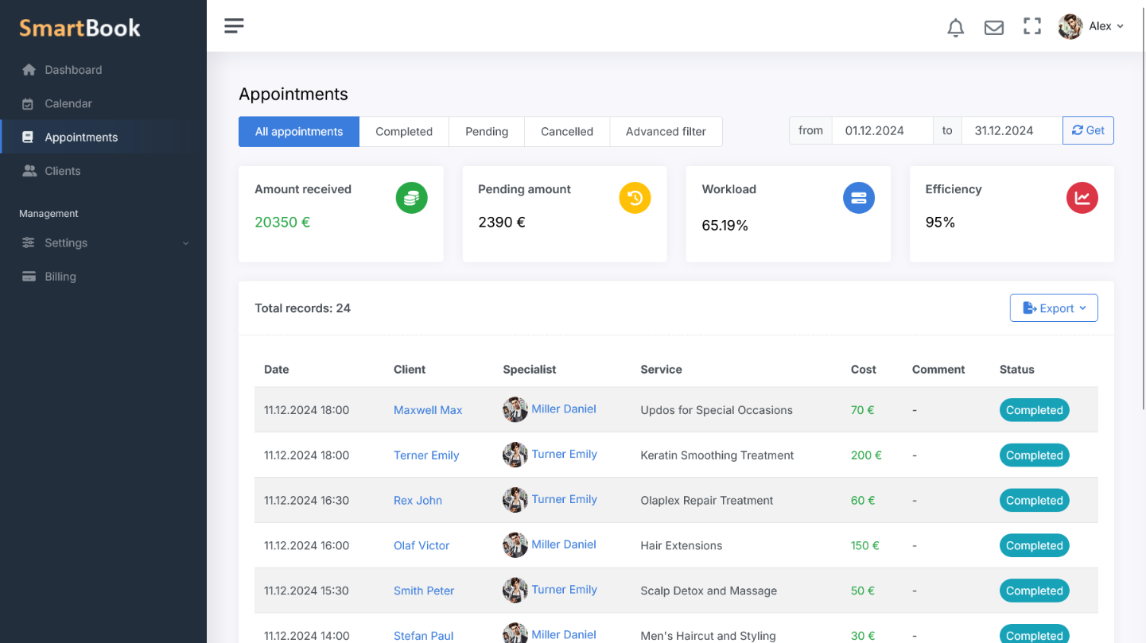
Thanks to a convenient filtering and search system, you can easily find the required booking — by client name, date, service, or employee. Booking history helps to quickly resolve disputes, track staff workload dynamics, and analyze the popularity of services.
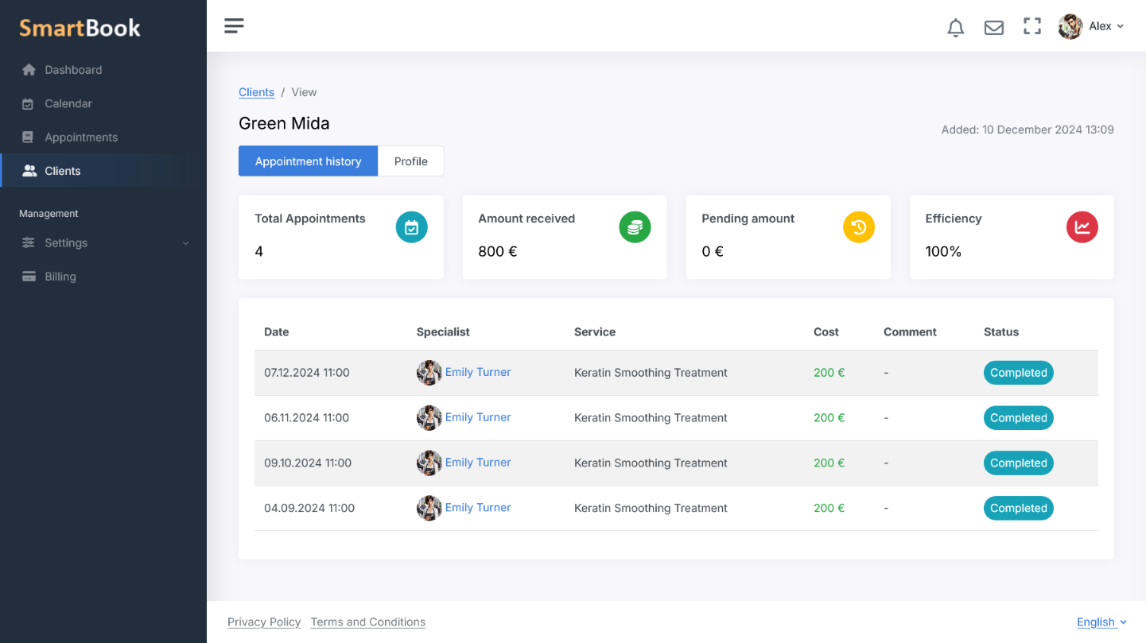
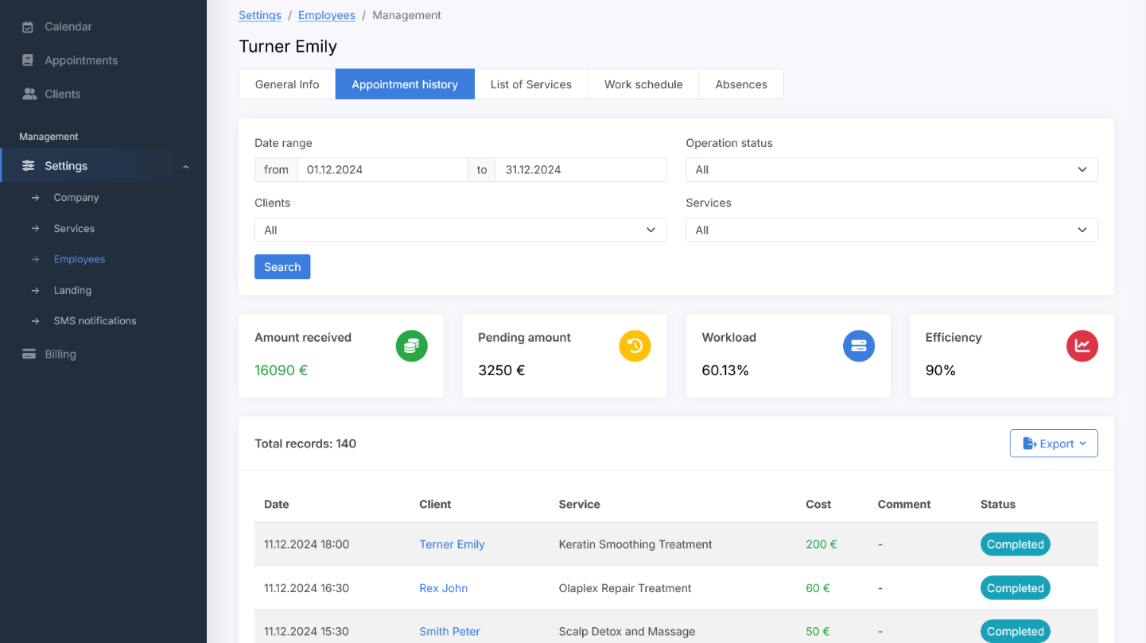
The collected data becomes a valuable tool for optimizing business processes. You can identify peak hours, track repeat visits, assess employee performance, and make data-driven decisions based on real statistics.
Moreover, the stored history is especially useful when working with regular clients. You can always review which services they used previously and offer personalized recommendations or special offers, increasing loyalty and the quality of service.
SmartBook is a complete ecosystem for automating online bookings, managing staff, and serving clients. In the SmartBook system, everything works transparently and in sync: the company sets work schedules and service durations, and the platform automatically calculates available booking slots, avoiding overlaps and conflicts. Each employee sees their own schedule, clients, and reports, receives notifications via Telegram or SMS, while the administrator manages all processes from a single interface. The flexible role-based model allows access control — from staff to managers and business owners — ensuring security and order in operations.
SmartBook combines online booking, automatic reminders, reports, statistics, and analytics in one place. The system helps increase employee workload efficiency, optimize time, and prevent planning errors. Clients can easily book services through a convenient web form, receive confirmations and reminders, while businesses can view the full booking history, analyze performance, and make data-driven decisions. It’s a modern tool for companies that value precision, convenience, and full control over every aspect of customer service.
Advantages of Booking History in SmartBook
- Full process transparency. All information about each booking is automatically saved — date, time, selected service, employee, client, and status (confirmed, canceled, completed, no-show). This helps monitor every action and provides a complete view of client interactions.
- Service quality control. The history logs all changes — who edited, when a booking was rescheduled, and which notifications were sent. This helps identify mistakes, improve staff discipline, and enhance service quality.
- Analytics and planning. Based on the history, you can analyze employee workload, determine peak hours and downtime, track service popularity, and evaluate efficiency. This helps optimize schedules and distribute workload evenly.
- Client management and repeat visits. By viewing visit history, you can offer personalized services and special deals to returning clients, increasing loyalty and repeat bookings.
- Flexible data segmentation. Reports allow filtering bookings by employees, services, clients, statuses, and periods, quickly finding the needed data and creating selections for analysis or export.
- Data-driven decisions. Booking history analysis helps reveal real trends — growth or decline in demand, seasonality, and service performance — allowing for informed business decisions based on accurate data.