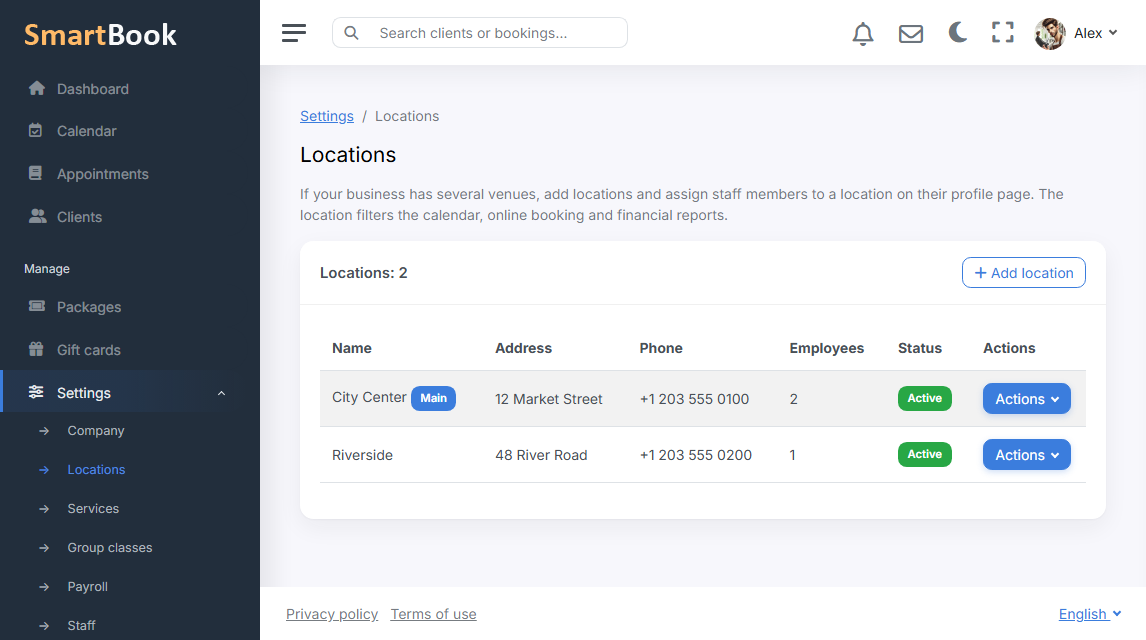
A second location usually appears before anyone wants to open a second account. The clients are the same, the price list is almost the same, but the specialists are no longer all in one room. Branches in SmartBook are not a directory “for looks”. If there is more than one active location, the branch starts slicing the calendar, the landing page, the widget, finances, and the dashboard.
If there is only one branch, there are no selectors: the dashboard looks like a company with a single studio. That is on purpose. You do not have to explain a field that nobody uses.
What is shared, what is split
The client database and the service catalogue belong to the whole company. A person can get a haircut in the centre and colour at the second location; the card is one. The visit’s branch is taken from the staff member who takes them. There is no separate “branch” column on the appointment — less confusion.
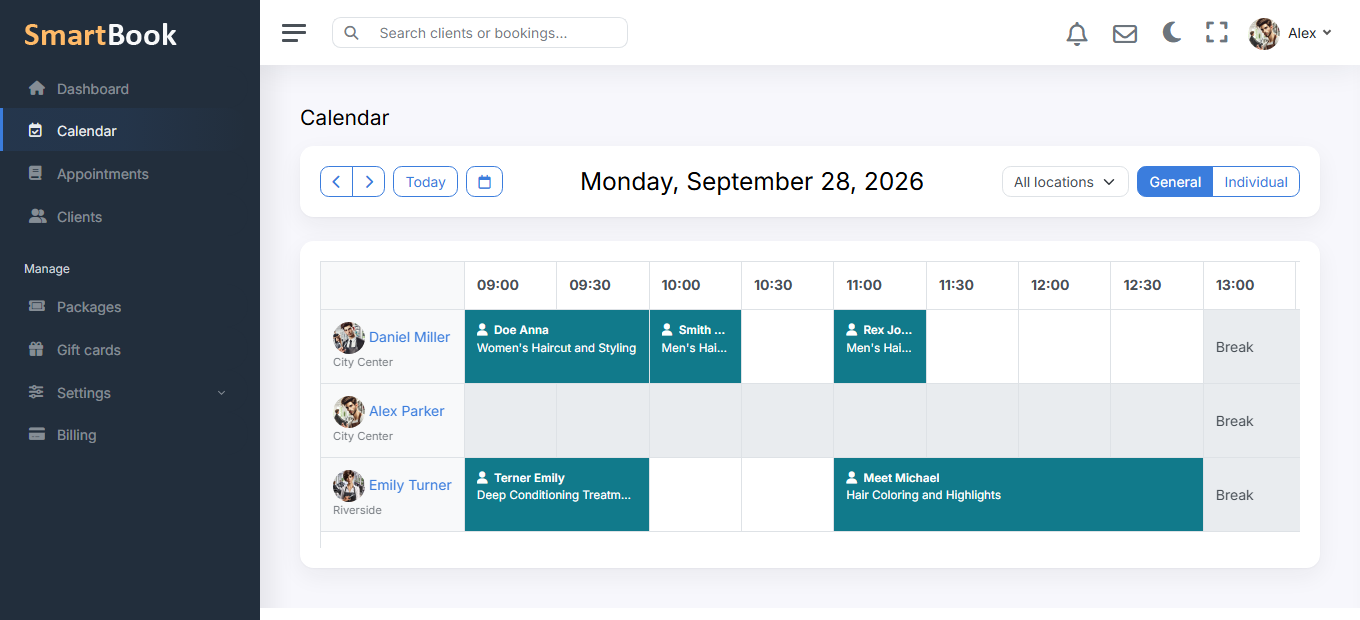
- Calendar. The receptionist picks “all branches” or one location. Specialists from another location do not stick out in a location that is not theirs.
- Landing page and widget. First you choose a location, then the services of people who work there. The summary shows that location’s address, not the company’s general address.
- Finances and dashboard. The same filter: revenue and top services by the branch’s staff.
Staff member and branch
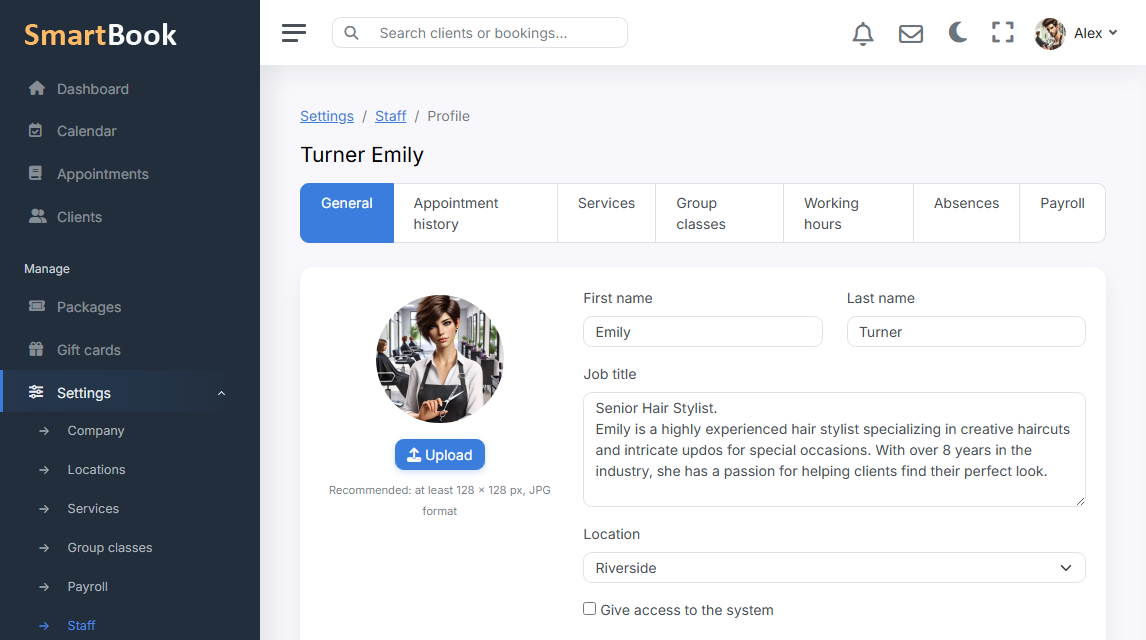
While there is one location, the branch is filled in by itself. When there are several locations, the field on the staff card becomes required. Inactive branches do not appear in the list. A staff member without a branch is visible only in “all” mode — they are not in a specific location’s filter, and that is expected.
How to add a second location
Settings → Branches: name, address, phone. You move staff onto the right location. Online booking will start asking for a branch by itself. The old landing page with a single company address no longer lies if the client is driving to a different street.