SMS does not always arrive; email is opened an hour later. WhatsApp is already open for many people. If the client is used to messaging there, a booking confirmation in the same channel feels more natural than “yet another studio app”.
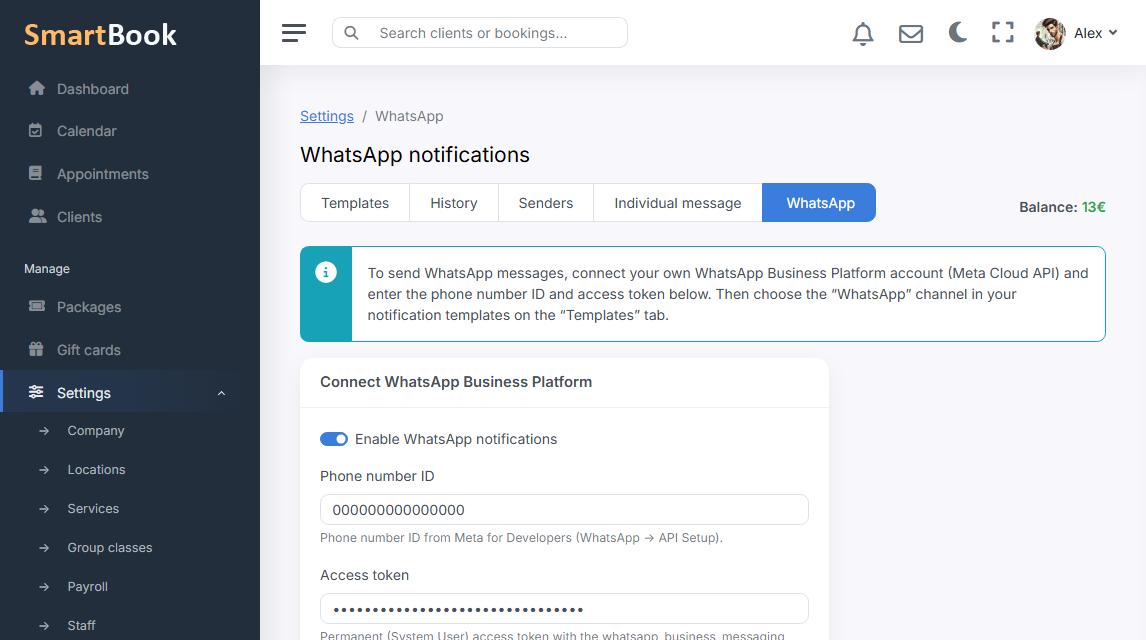
In SmartBook WhatsApp is a separate company setting, not required to get started. While the channel is off, appointments and the calendar work as usual. Once you turn it on and enter the connection details — the client can get visit messages where it is convenient for them.
Why a studio needs this
Fewer calls asking “did you book me?”. The client sees the time in the thread and does not have to keep your landing page in their head. For the receptionist this is not a new messenger on the phone, but the same notification scenario that already exists in the system.
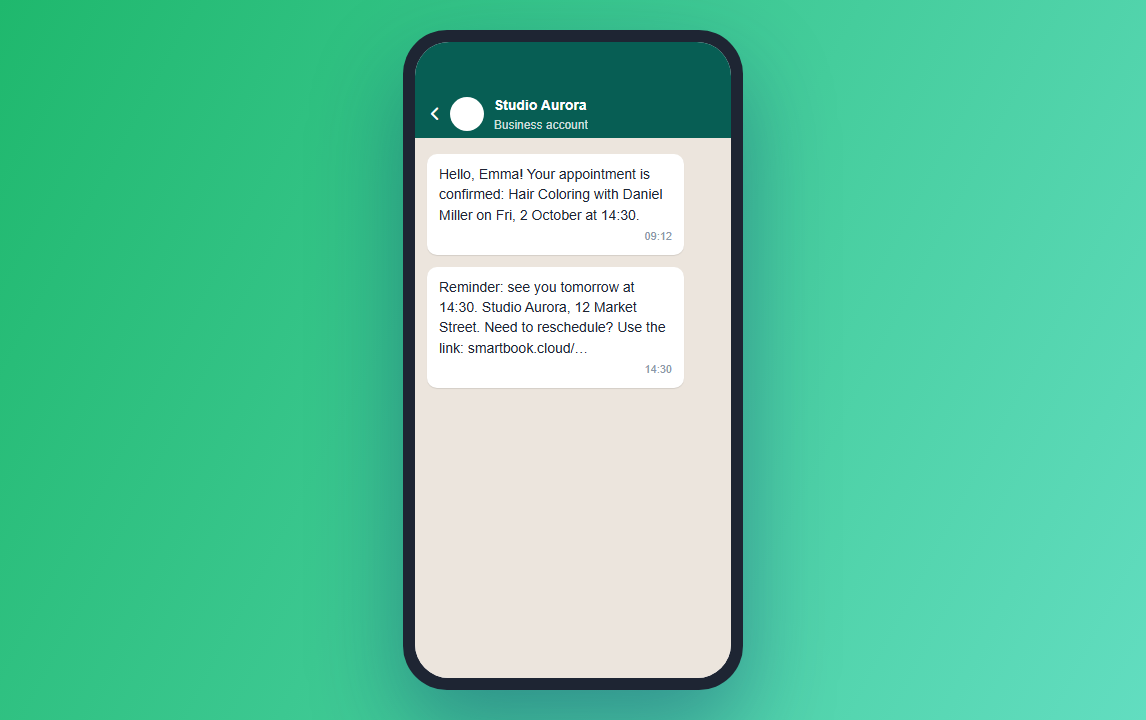
- Confirmation that the appointment was created.
- A reminder closer to the visit.
- A message if the appointment was cancelled or moved — within the templates the company has set up.
How to connect it without drama
First get the calendar and landing page working. Then SMS or email. WhatsApp makes sense when the database is already alive and you are ready to watch the provider’s limits and templates. In the interface this is not “another CRM”, it is a checkbox in company settings.
Do not send ads in WhatsApp every day. The booking channel is about the visit. Promos are better kept in campaigns, otherwise the client turns off notifications and you lose even the reminders.