Working out payroll in Excel from an export of appointments is a familiar pain. Someone closed a visit with a package, someone with a certificate, someone sold a pack to the receptionist at the desk while another person did the haircut. If you mix the till and output, the numbers will never match what the specialists feel they earned.
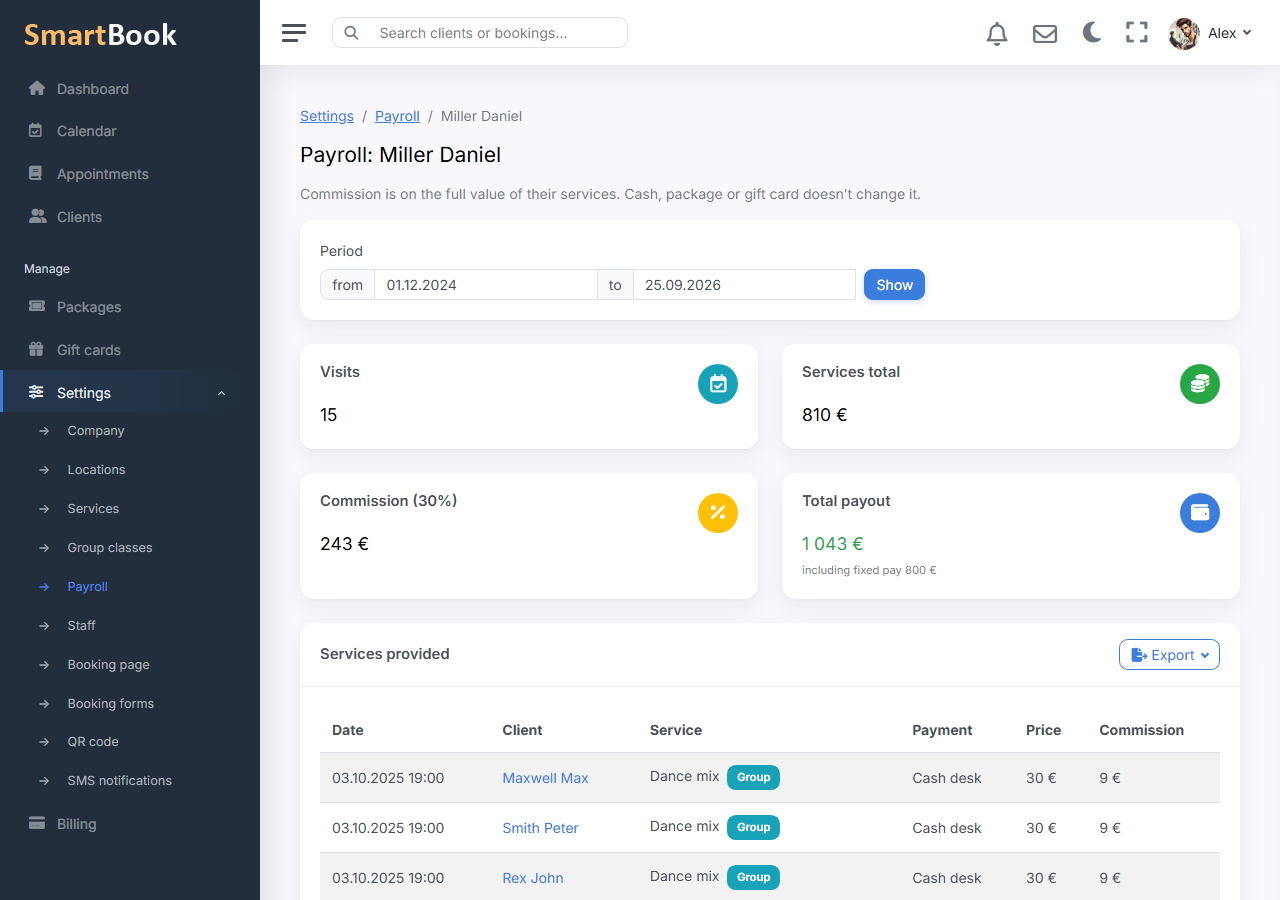
In SmartBook payroll is calculated like this: a fixed rate for the chosen period plus commission on the full price of the services the staff member delivered. How the client paid — till, package, or certificate — does not affect the commission. Selling a package or a certificate is not included in that percent: that is company money at the moment of sale, not a visit.
Example. The receptionist sold a pack, the client came to the colorist. The colorist gets commission on the coloring price. The receptionist does not appear in the specialist’s payroll percent for selling the pack. Otherwise the same euro is counted twice, or the specialist is left unpaid for the work.
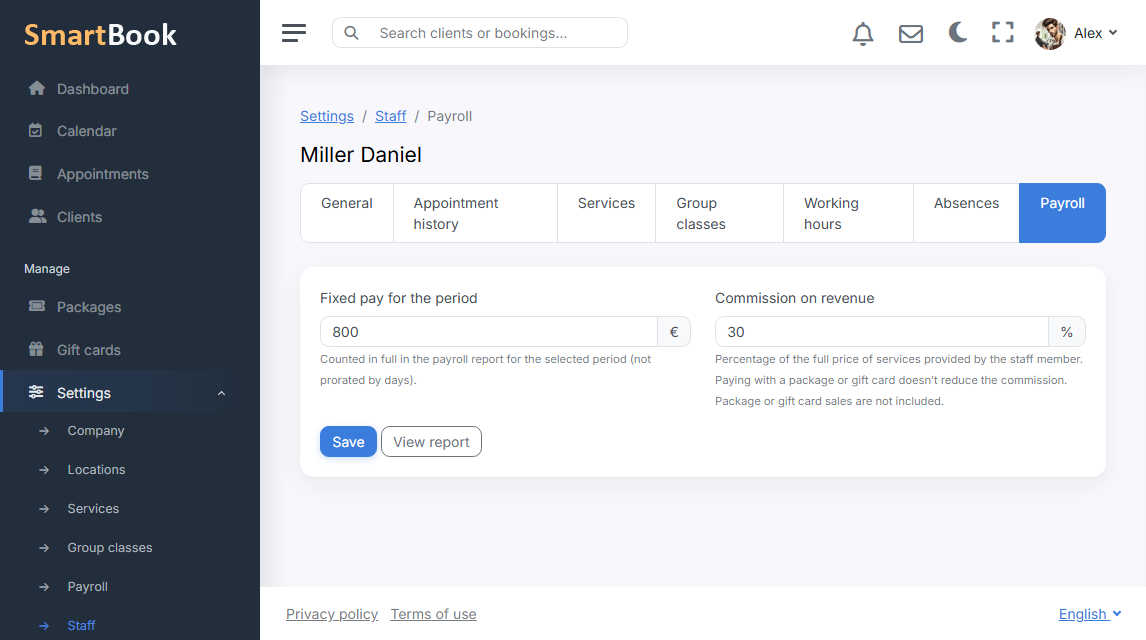
The rate on the staff card
- Fixed amount for the period. The sum in full for the chosen range, not “per day, pro rata”.
- Percent. Of the full price-list price of the service at the time of the report.
- You can use only a fixed amount, only a percent, or both.
In the staff list, the “Payroll” item in the management menu goes straight to these fields. From the overall report you can also get there through the card.
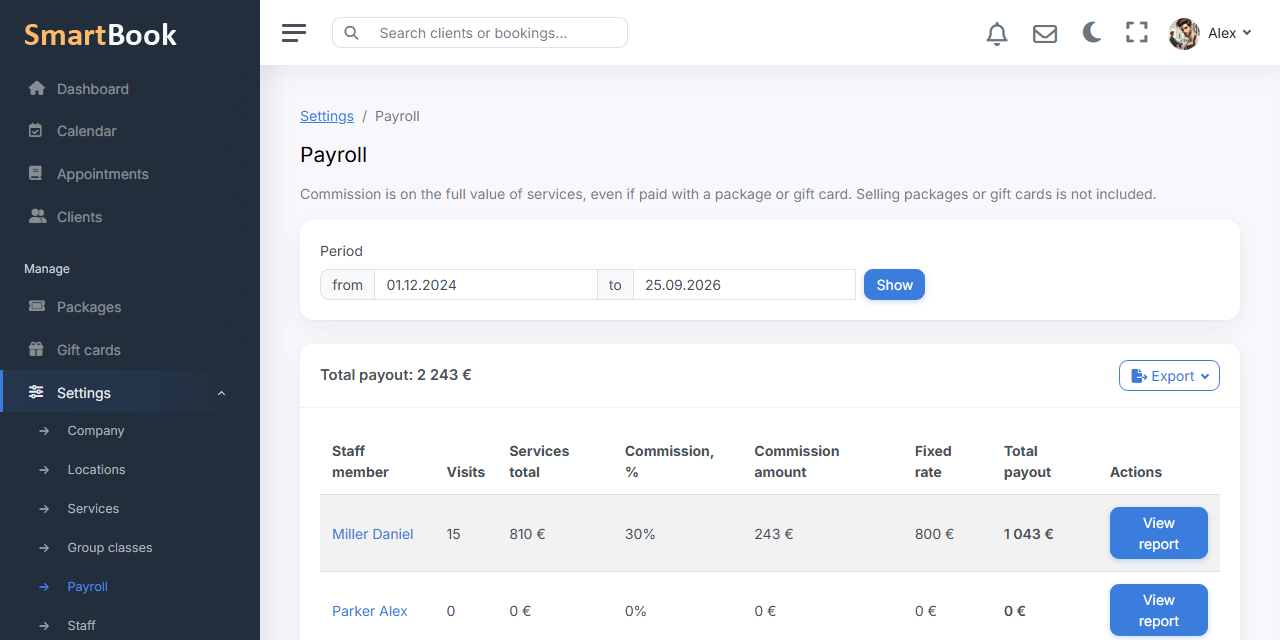
Overall report and per-person report
Overall: all staff, visits, service value, commission, fixed amount, total, export to CSV, Excel, and PDF. Monetary columns in the PDF include the currency.
Per staff member: the same summary cards and a table of visits — date, client, service, how they paid, price, commission. Payment method “package” in the table does not zero out the commission. Export is the same set of formats.
What is not included
Cancelled appointments and no-shows do not go into commission. Future visits neither: the report looks at what is completed. Package and certificate sales belong in finances, not here.