A one-off client rarely comes back on their own. They need a reason to book again — not a discount “on everything”, but points that are already sitting on their card. In SmartBook the loyalty program is turned on in company settings: you set a percent of the visit price, and the system accumulates points by itself after completed appointments.
One point equals one unit of the company’s currency. If a visit cost 40 € and the earning rate is 5%, the client gets 2 points. Those same points can later cover part of the next visit — the receptionist sees the balance on the client card and in the booking window, so there is no need to punch numbers into a calculator.
Points are calculated from the amount the client actually paid. If the visit is closed entirely with a package, there is nothing to award: the money already came in when the package was sold. A gift certificate and a points redemption also shrink the base for earning — that way you are not giving a bonus on a sum the till never saw.
How to turn it on and set it up
Company settings have a dedicated loyalty switch. While it is off, the section does not clutter the menu. Once you turn it on, you set the earning percent. One percent for the whole company, without tables like “this much for a haircut, that much for colour”. That is deliberately simple: the receptionist does not get confused, and you can explain it to a client in 20 seconds.
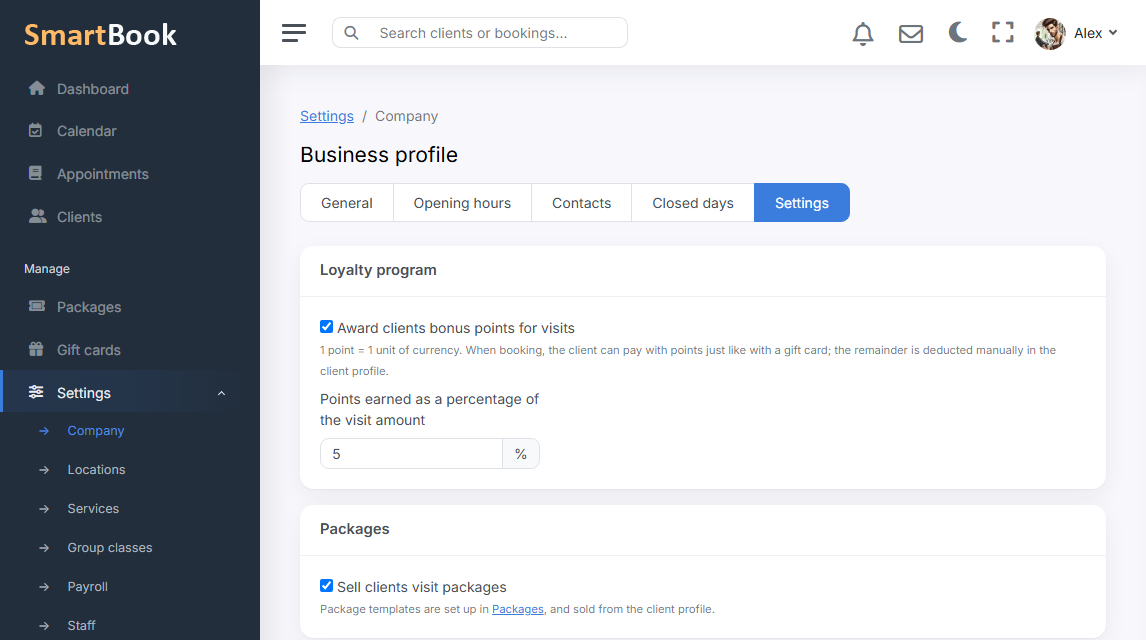
- Percent of the visit. Calculated from the service price minus package, certificate, and points already redeemed.
- Awarded after the visit. Points appear when the appointment has already taken place and has not been cancelled. A no-show does not earn points.
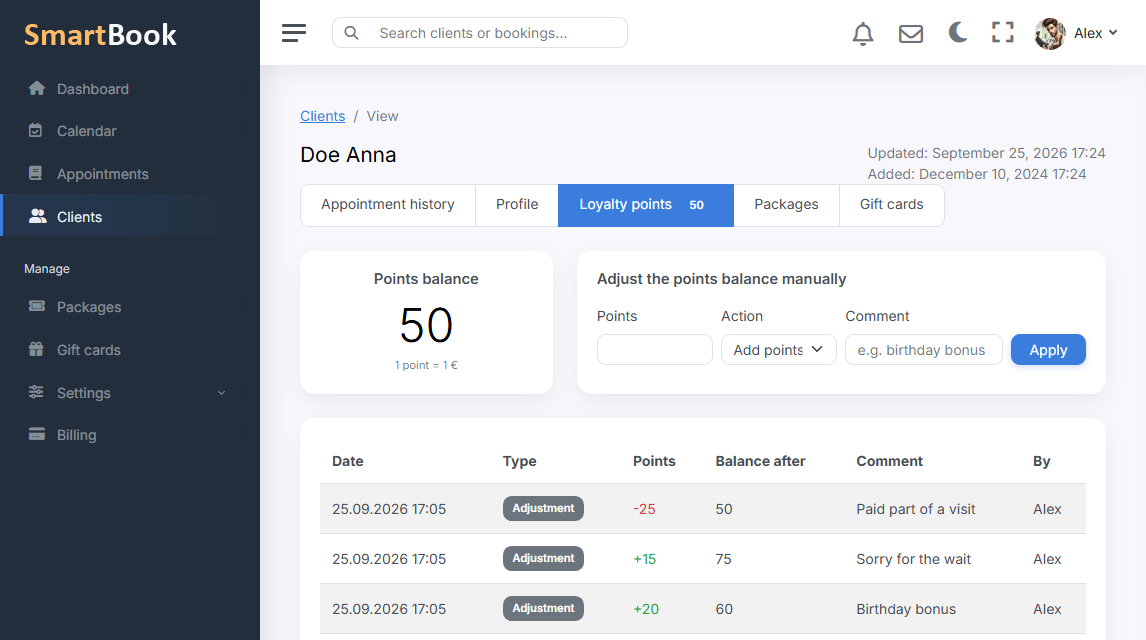
- History on the card. Every award and redemption with a comment. If a client asks “where did my points go” — you open the log.
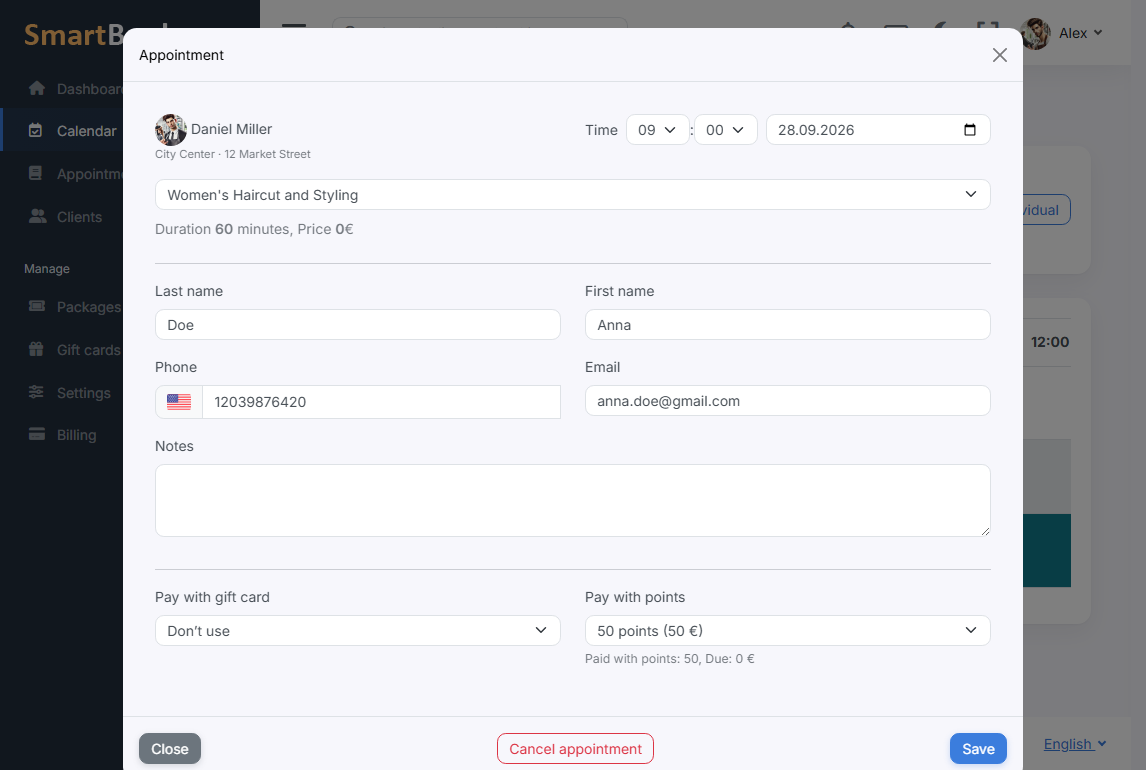
Redeeming at booking
In the booking popup and on the landing page you can take points as payment. The system will not let you redeem more than the balance or more than the service costs. The client pays the rest of the visit as usual — or with a certificate, if that is more convenient.
Manual adjustment is there too: an apology for a specialist running late, a birthday gift, reversing an award that was posted by mistake. It is better to write the reason right away — in a month nobody will remember why you added 50 points.
What this gives you in practice
The client sees that visits “add up”. You do not need a separate notebook or a third-party loyalty app. The numbers still stay honest: reports show which part of the visit was closed with points and which part actually hit the till.